

• IT Consulting

    Expert IT consulting with End-to-End IT Support & Monitoring to boost efficiency and security.

  • Web Development and Design

    Stunning, responsive websites that convert visitors into customers and drive growth.

  • Shopify Development

    High-performing, scalable Shopify solutions that empower your eCommerce business.

  • E-commerce

    Powerful, scalable e-commerce solutions that drive sales and enhance experiences.

  • IT Support Services

    Comprehensive IT support solutions to keep your business running smoothly.

  • Custom Software Development

    Tailored software solutions that streamline operations and drive business growth.

  • Mobile App Development

    Innovative, user-friendly mobile applications that deliver exceptional experiences.

  • SEO

    Boost website visibility and organic traffic with data-driven SEO solutions.

  • Marketing Automation

    Automate customer journeys, nurture leads, and boost conversions with smart marketing automation.

Mastering Shopify Theme Customization

What Is Shopify Theme Customization?

Shopify theme customization means tailoring a pre-built theme so that it fits your brand identity, improves user experience, and maximizes conversion. Whether you're changing fonts and colors, reorganizing sections, or adding completely custom layouts — good customization lets you make a Shopify store that feels unique and professional.
Why Customize Your Theme

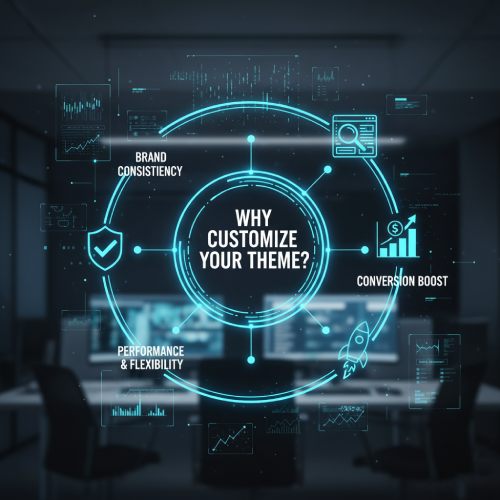
Why Customize Your Theme?

Brand consistency: Matching your visual design with your brand voice builds trust.
Better UX: Tailored layouts and navigation help customers find what they need faster.
Conversion boost: Custom CTAs and product displays increase engagement and sales.
Performance & flexibility: Optimized code maintains speed and adaptability.

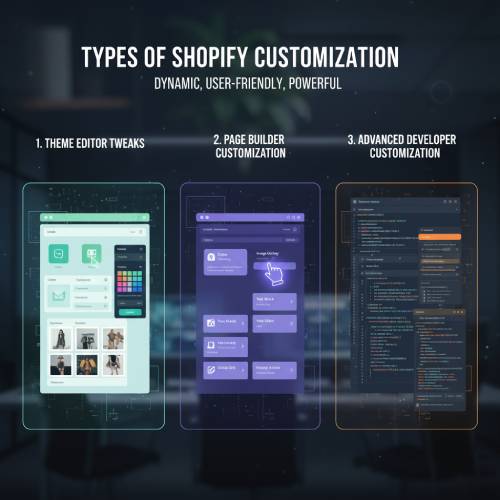
Types of Customization

There are several ways to customize depending on your technical expertise and goals:
Types of Customization
1
Theme Editor Tweaks

Change colors, typography, and layout using Shopify's built-in tools.

2
Page Builder Customization

Use drag-and-drop builders like GemPages for code-free design.

3
Advanced Developer Customization

Leverage Liquid, metafields, and APIs for total control.

Getting Started: Setup + Safety
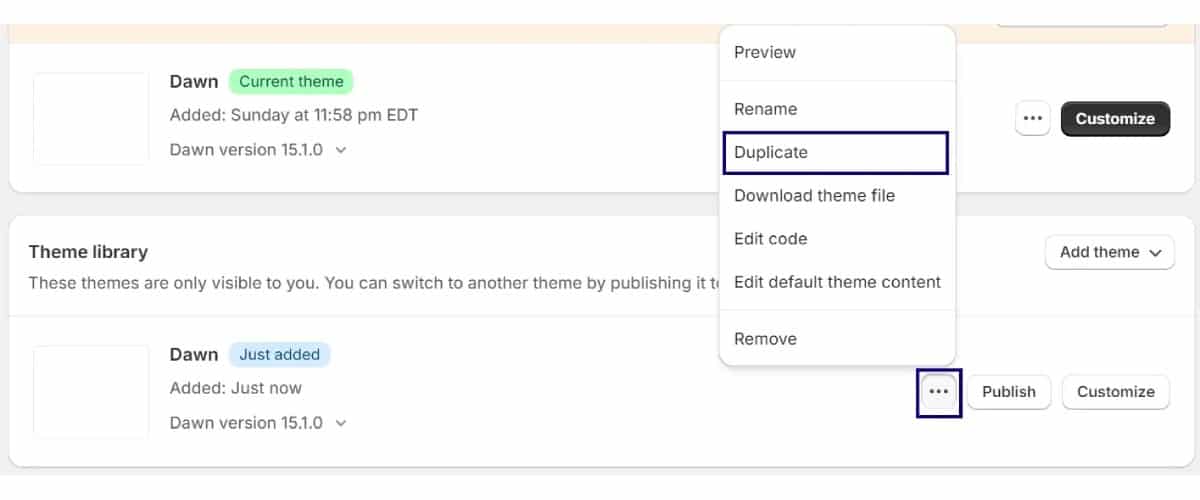
Duplicate Shopify theme
Duplicate your theme: Always create a copy before editing.
Use a staging theme: Test changes safely before publishing.
Plan your design: Wireframe layouts before diving into code.

Customizing via the Theme Editor

Edit header & announcement bar: Add banners and promotions.
Rearrange sections: Drag and drop layouts visually.
Modify footer: Add newsletter signup, policies, and links.
Adjust global settings: Control typography, colors, and buttons sitewide.
Pro Tip: Use the preview inspector to jump directly to a section's settings.

Using a Page Builder for Deeper Control
Using a Page Builder for Deeper Control

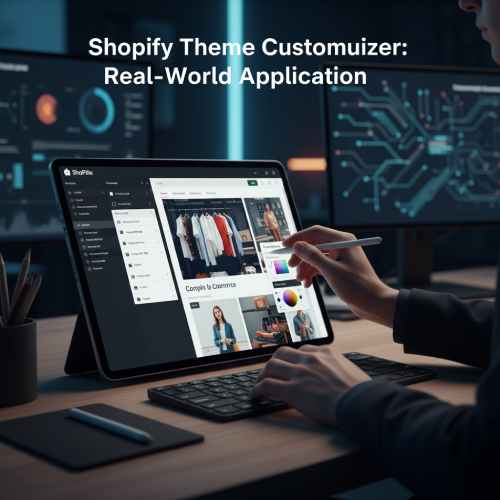
GemPages and similar builders offer code-free customization with drag-and-drop tools.

Create landing pages, product pages, and FAQs visually.
Maintain design consistency using global style presets.
Your designs stay intact even after theme changes.

Developer Customization: Liquid & APIs

Liquid templates: Modify sections and snippets for tailored layouts.
Metafields: Store extra product or page data dynamically.
APIs & Scripts: Add timers, popups, and smart functionality.
Tooling: Use Shopify CLI and Theme Check for faster workflow.

Performance & Best Practices

Minimize third-party scripts
Optimize images using lazy loading
Remove unused CSS or JavaScript
Ensure accessibility for all users

Examples: Real Shopify Stores That Mastered Customization

Suta Shopify Store
Suta — The Art of Modern Ethnic Design

Suta.in is a stunning example of how custom Shopify theme design can elevate a brand's identity. With elegant typography, dynamic visuals, and custom product page layouts, Suta perfectly blends storytelling and eCommerce. Their homepage transitions and curated lookbooks showcase how thoughtful customization can reflect a brand's soul.

Visit Store
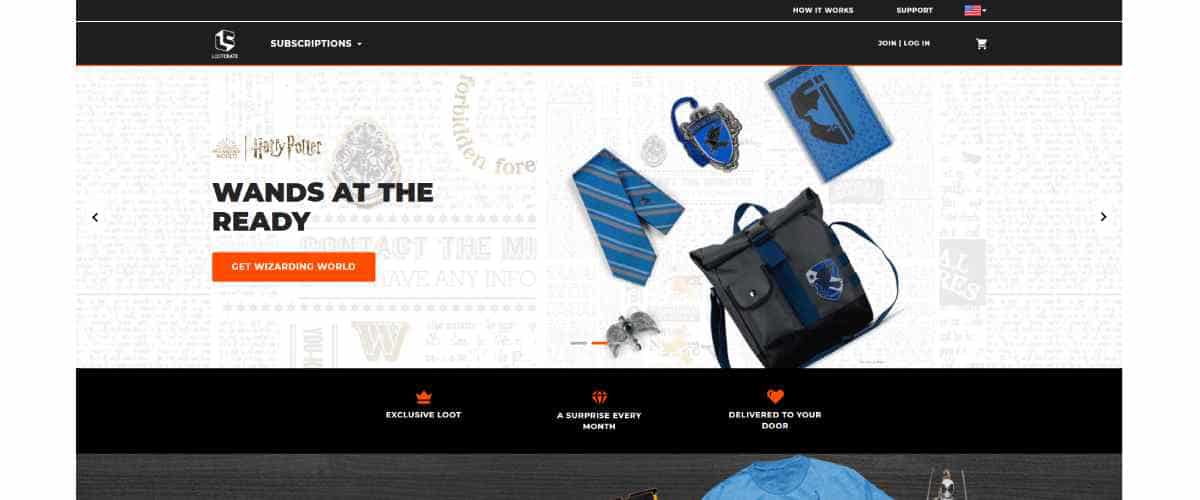
Loot Crate Shopify Store
Loot Crate — Gamified Subscription Experience

Lootcrate.com shows the power of Shopify customization in subscription-based eCommerce. With advanced product grids, a seamless checkout flow, and interactive bundles, their store design keeps fans engaged and eager for the next crate. Custom scripts enhance the user journey and strengthen their gaming community appeal.

Visit Store

Any Query? Feel Free to Contact Us

Contact Us